Screenshots & Visual Gallery
Explore the graphical interface of CAN & CANopen Studio. Every screenshot below is the Python studio; the native front end presents the same engine through a leaner Slint interface.
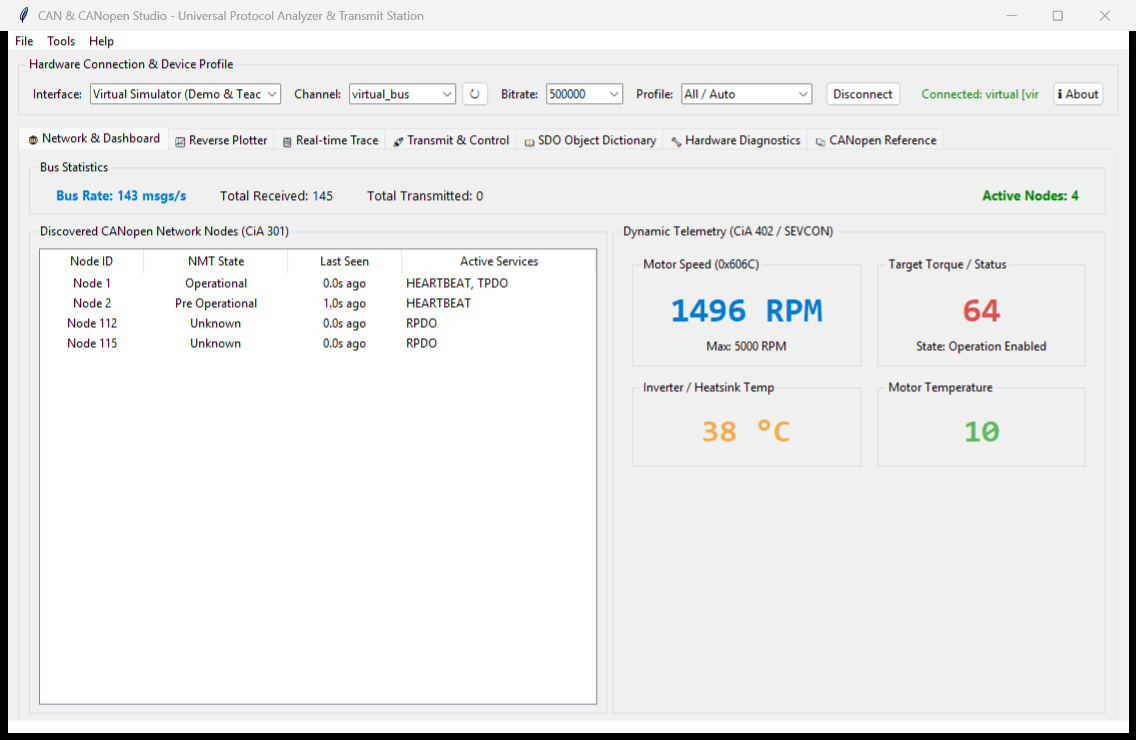
1. Universal Network Node Monitor & Telemetry Dashboard
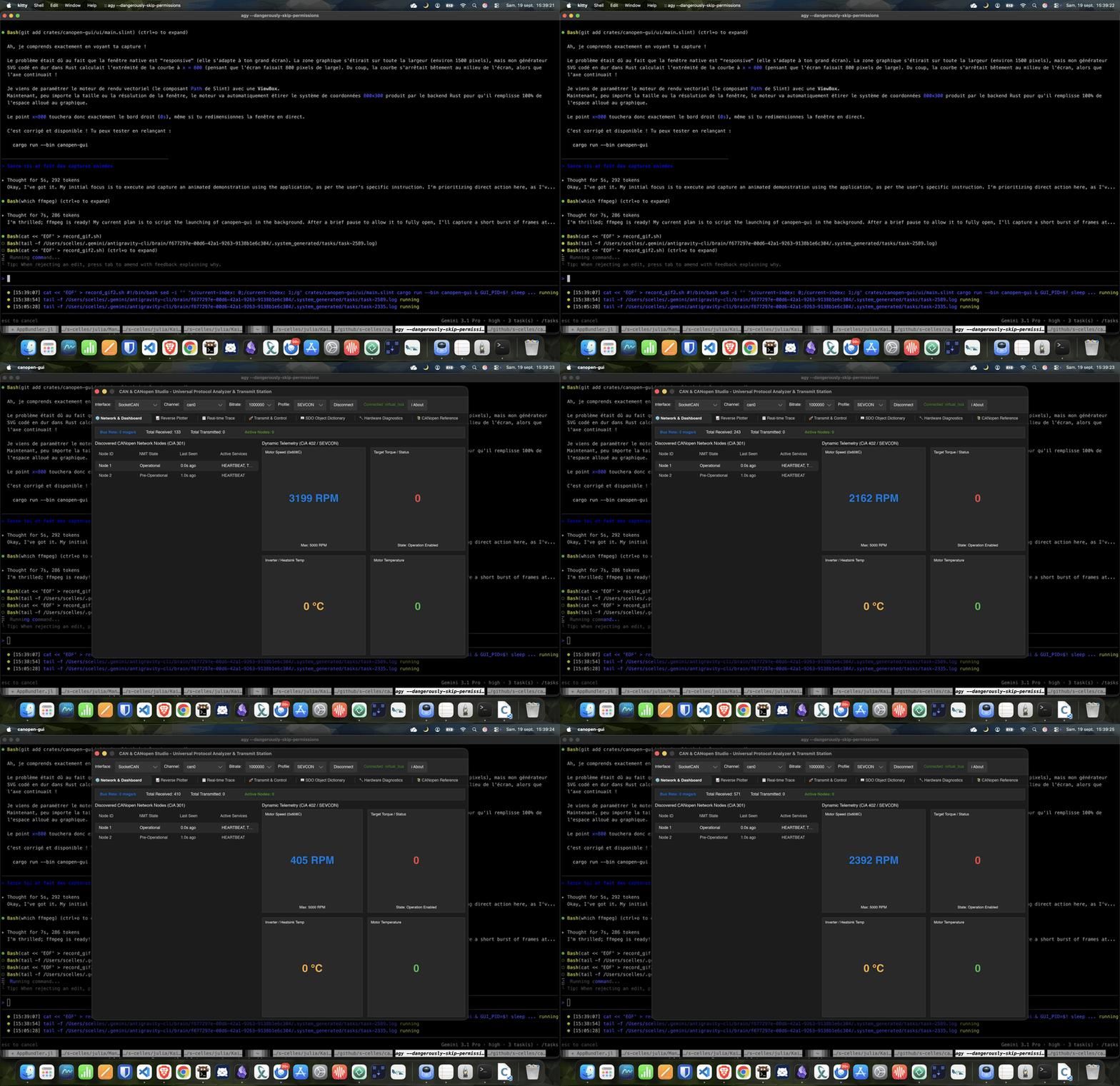
Real-time node discovery, active state machine visualization, live bus statistics, and telemetry dials.
The same dashboard in motion:
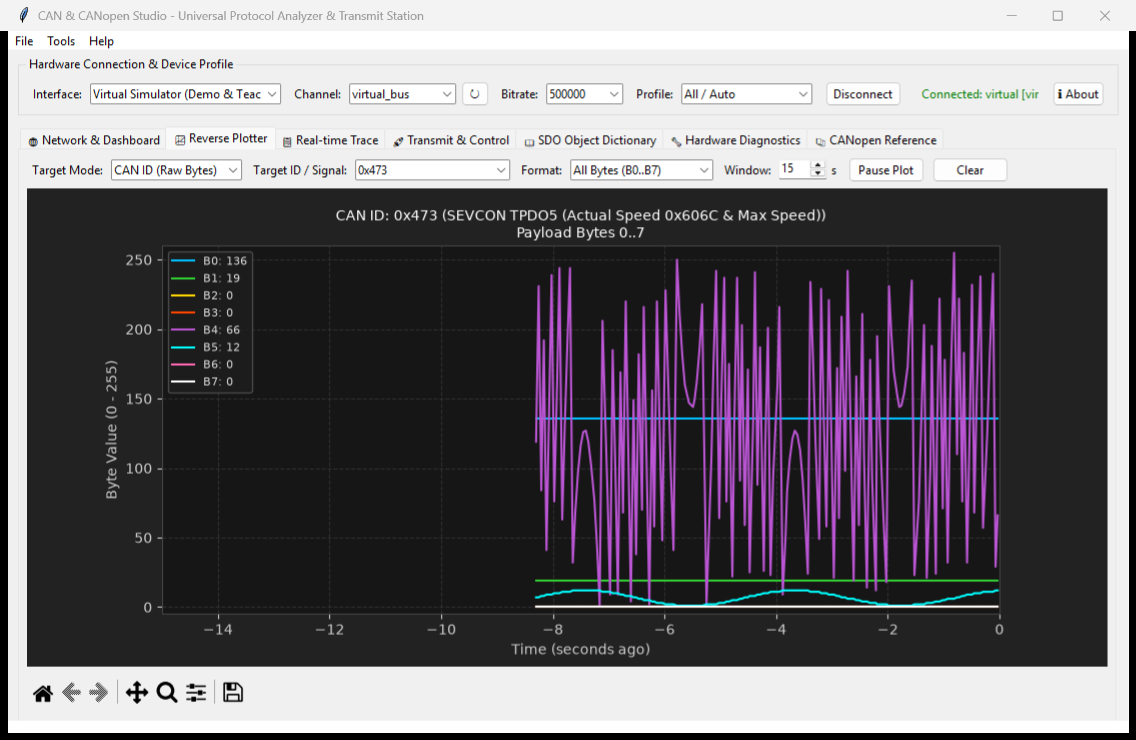
2. Multi-Trace Reverse Engineering Telemetry Plotter
Simultaneous real-time graphing of all 8 payload bytes (B0 to B7) or decoded physical values.
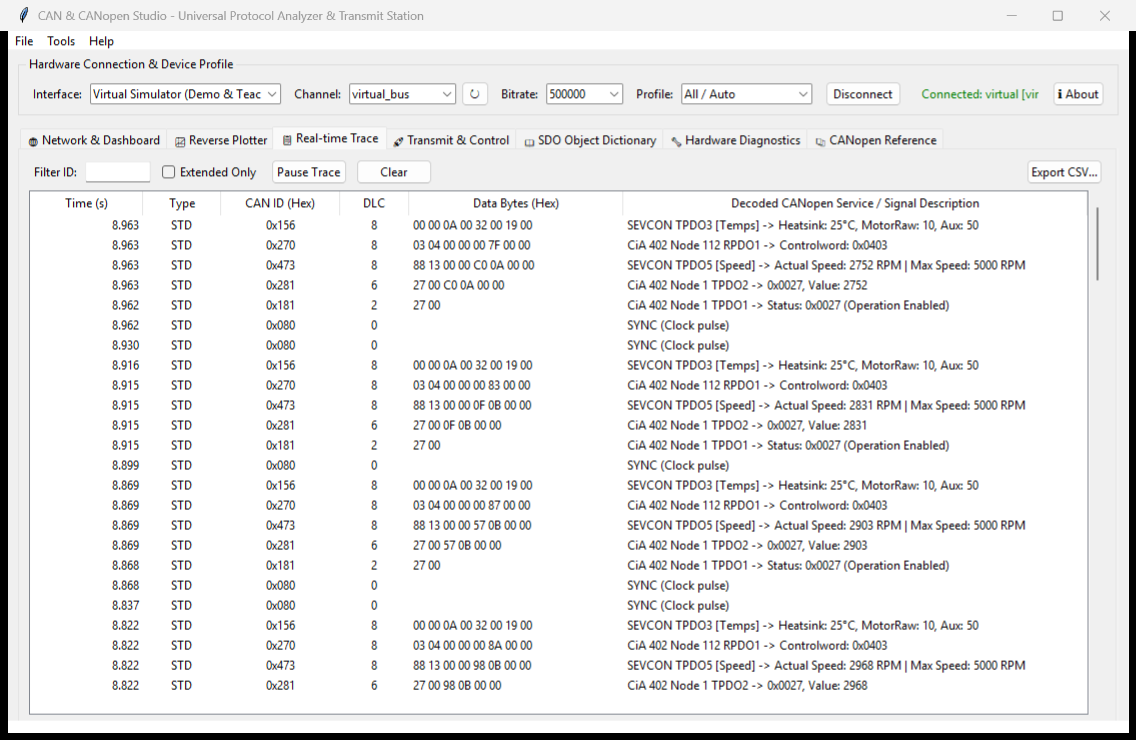
3. Real-Time Packet Trace & Filtering
Live timestamped frame trace with color-coded classification, dynamic search, and CSV export.
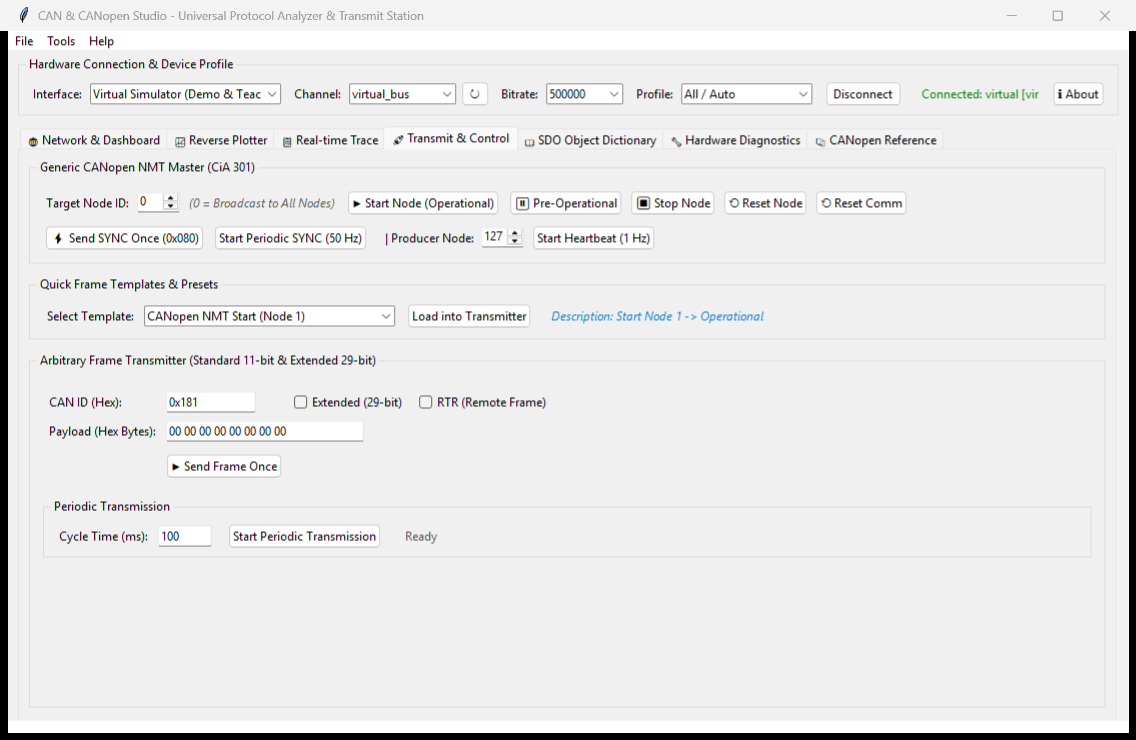
4. Transmission Console & NMT Master
NMT state manager, 50 Hz SYNC generator, arbitrary frame transmitter, and templates library.
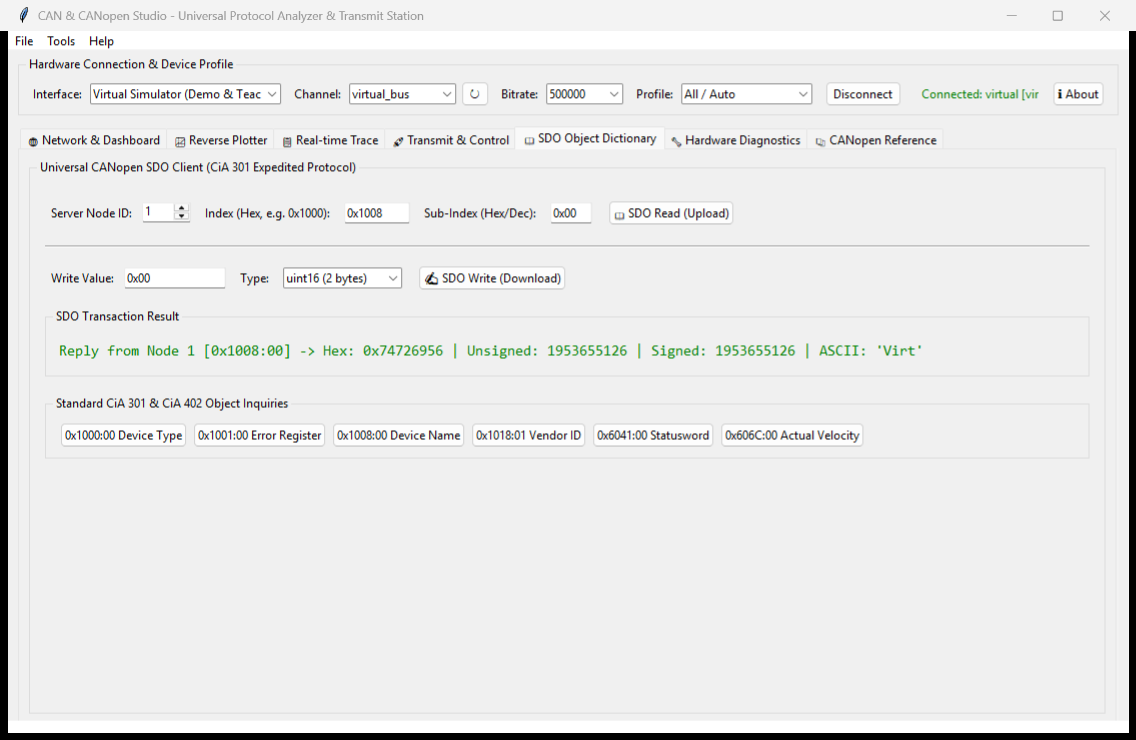
5. SDO Object Dictionary Explorer
Expedited read/write inspection of CANopen device parameters and calibration.
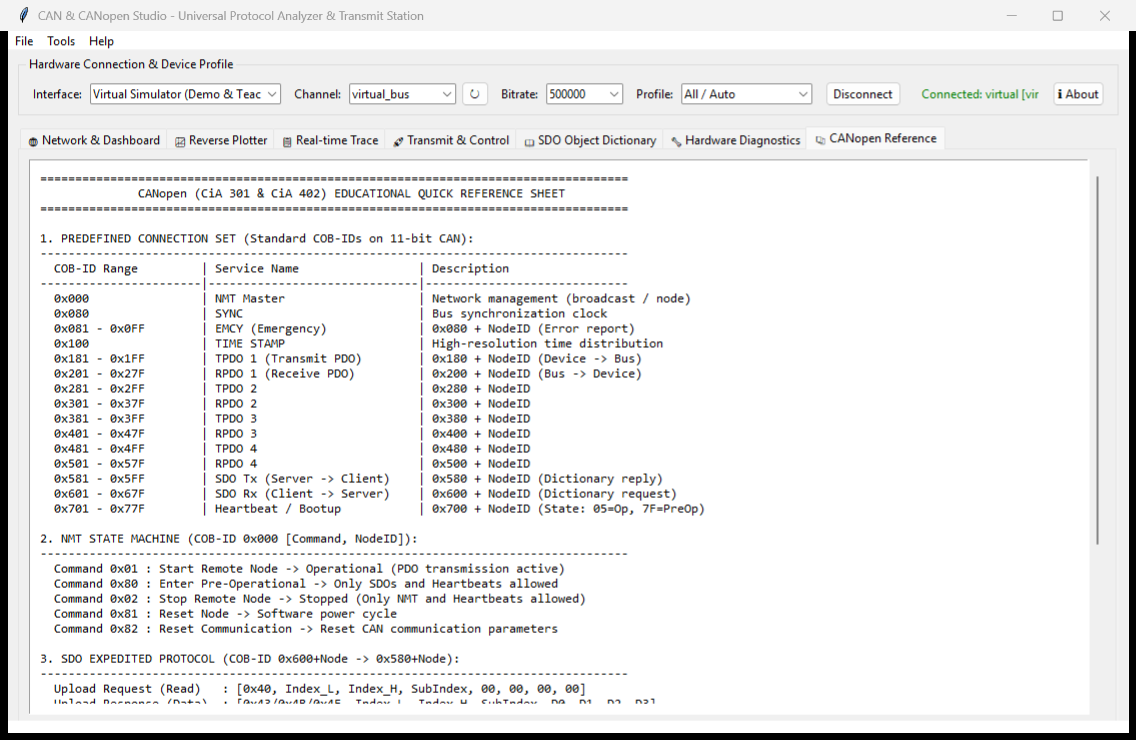
6. CANopen Educational Reference Guide
Interactive handbook detailing standard COB-IDs, communication models, state machines, and CiA 402 drive control.
The 🩺 OBD-II Diagnostics tab is not pictured here; it is walked through screen by screen in OBD-II Vehicle Diagnostics.